 CyberFlex / CodingDude
CodingDude 0.4.0 · open source · by Cyberflex
An AI coding agent that has to prove it reviewed its own diff.
CodingDude plans, designs, builds, reviews and ships work in your repository, on your own machine, with the AI model you choose. It asks before anything risky and shows proof before it calls anything done.
- Self-hosted, single-user
- Python 3.12+
- Any OpenAI-compatible model
- AGPL-3.0-or-later
Why CodingDude
Your agent, your models, your machine.
Hosted coding assistants keep your code and keys in someone else's cloud, tie you to their models and act on your repository with little say from you. CodingDude is built the other way round.
Private by design
Everything runs on your machine. The only thing that leaves it is the calls to the AI model you chose.
Any model you like
DeepSeek, OpenRouter, OpenAI, Anthropic or a local model through Ollama, chosen per job, with automatic fallback.
You stay in charge
Safe steps run on their own. Anything risky waits for your approval.
Proof, not claims
Nothing counts as done without test, lint and build results to show for it.
The review gate
Review is a gate, not a habit.
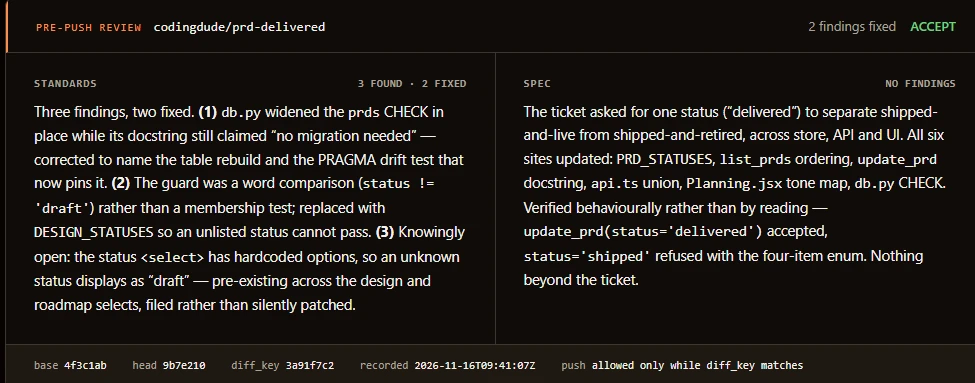
CodingDude can't publish code until it has reviewed exactly what it is about to push. If anything changes after the review, even one line, it has to review again.
Check the standards
Does the code follow the way your team writes software?
Check the spec
Does it do what the ticket asked for?
Fix and re-review
Real findings are fixed, and the changed code is reviewed again.
Publish
Only reviewed work is pushed, and only with your approval.
Before it builds
Understand, design, then build.
Good engineers don't start typing straight away. Neither does CodingDude.
Map your code
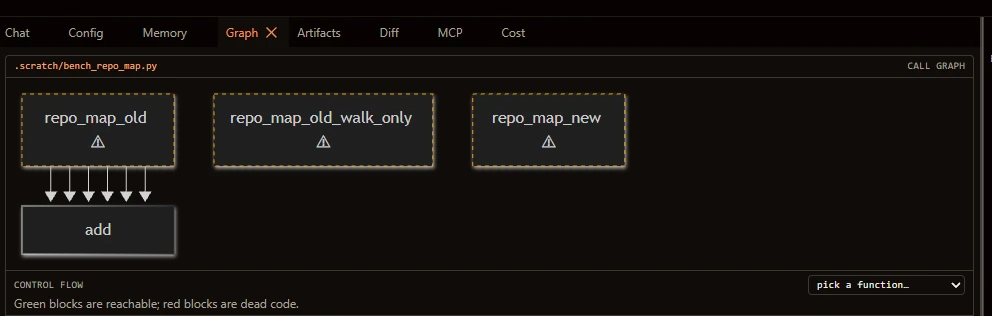
An architecture map, call graphs, which tests cover each file, and dead code. Ask "where is authentication enforced?" and get answers linked to the exact lines.
Sketch the screens
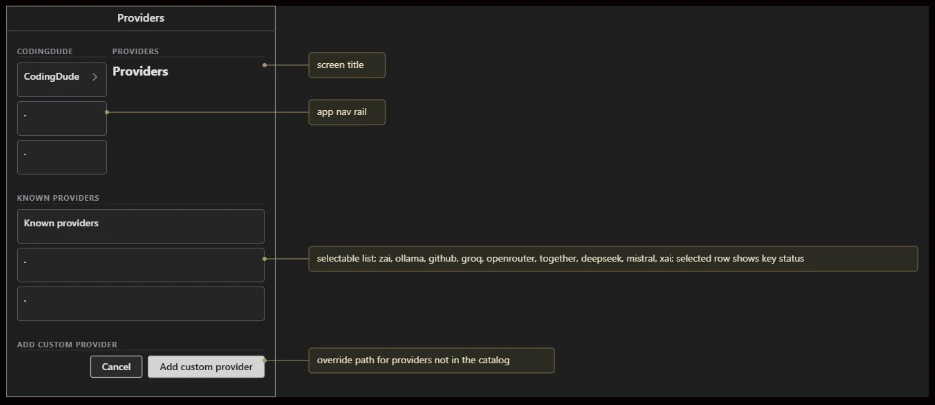
Ask for a screen and get a wireframe, with the flow between screens. Edit it, then press implement to build exactly what you approved.
Undo anything
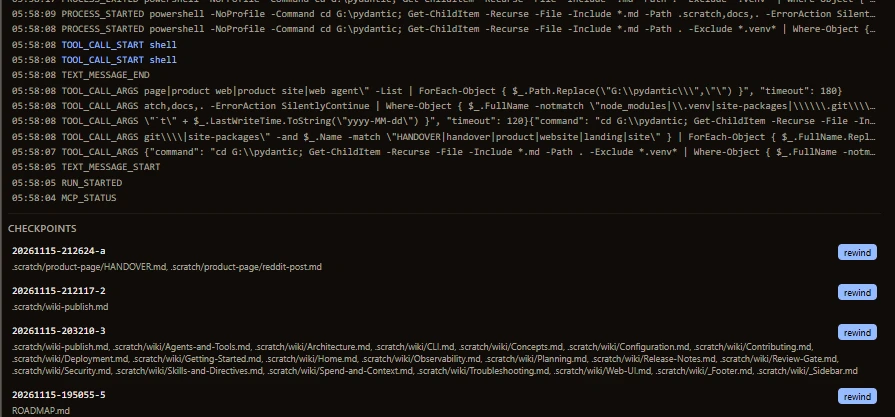
Every edit is snapshotted first, with one-click rewind. Suggest mode turns edits into proposals you accept or revert.
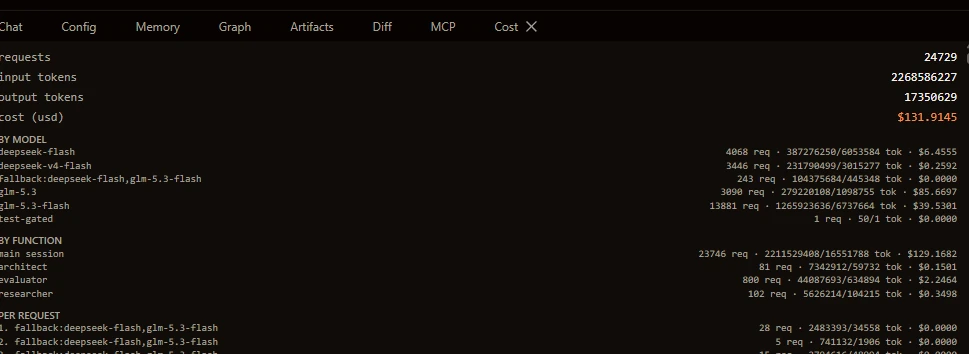
Spend control
A budget it can't overspend.
Set a limit per run or per session. CodingDude checks it before every call to the model, so the work stops at your limit instead of you finding a surprise bill afterwards.
- Covers everything the agent does, including the helpers it hands work to.
- Long sessions keep going. The conversation is condensed automatically instead of running into the model's limit.
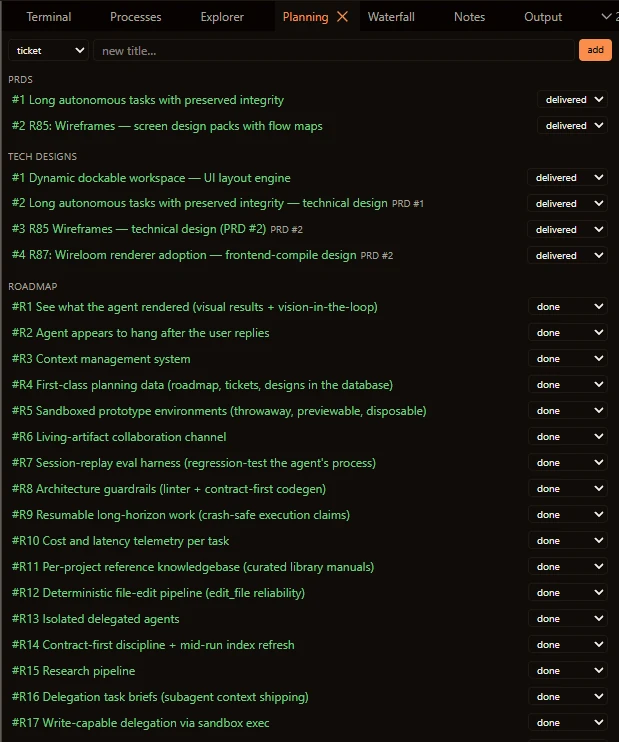
Planning
Work that outlives the chat.
Requirements, designs, a roadmap and tickets are kept as real records in your project, not lost in a chat history. You and the agent work from the same plan.
- Proof, not promises. A ticket step is only marked done with evidence that it works.
- Pick up where you left off. Sessions, notes and decisions carry over from one day to the next.
Approvals
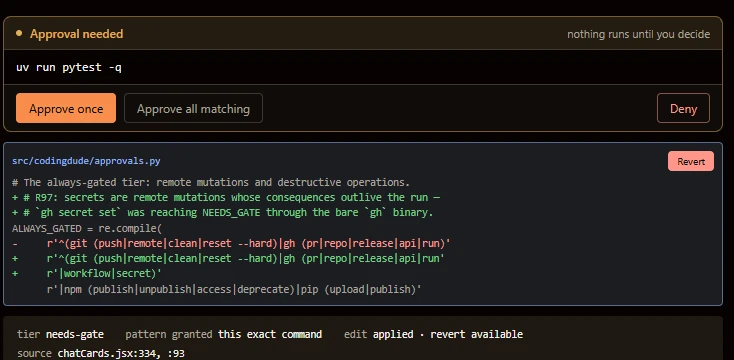
Safe actions run. Risky ones wait for you.
Reading code and planning happen on their own. Pushing code, installing packages and deleting files always stop and ask, on one clear approval card next to the change.
- Approve repeat commands once, such as your test runs, for the rest of the session.
- Your keys stay out of reach. Commands the agent runs are started without your API keys and passwords.
In the box
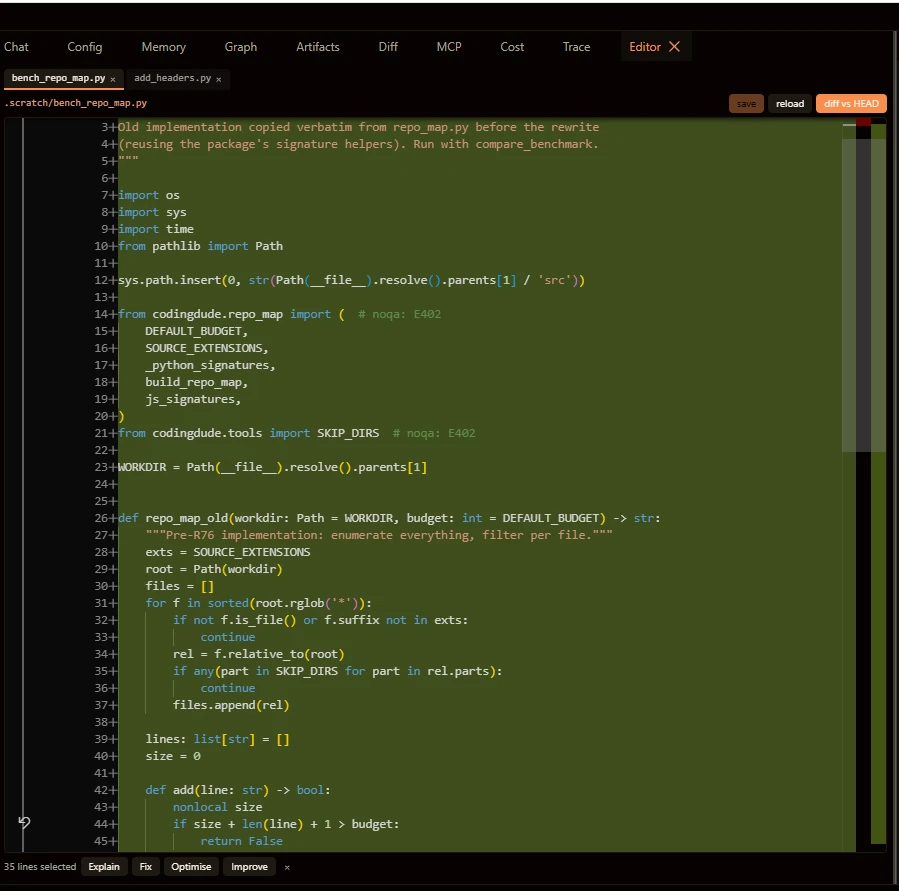
A workspace you arrange yourself.
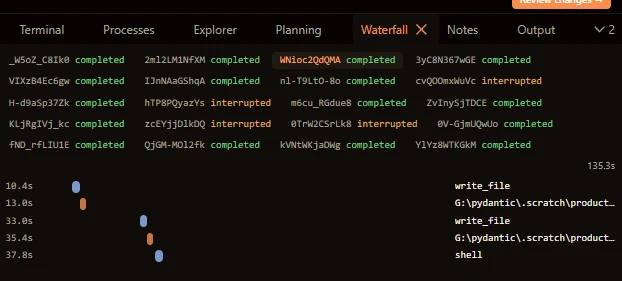
Dock, split or float any panel, or pop one out onto a second monitor, and save layouts for reviewing or debugging. Follow each run live: what the agent is doing, what changed, where the time went and what it cost.
Fix until green
Runs your tests after a task and feeds any failures back to the agent, for up to three rounds.
Built-in security scan
Bandit, Semgrep and secret detection check the work, and findings stop it going further.
Your house rules
Standing rules, project notes, custom skills and review checklists, all edited inside the app.
Memory
Remembers facts, solved problems and decisions from one session to the next.
Team of helpers
Hands research and reviews to helper agents working in parallel, without touching your code.
Scripts and CI
Runs without the UI on a fixed budget. Record a real session and replay it later as a regression test.
Get started
Up and running in three steps.
CodingDude runs on your own machine, against your own code. There is nothing to sign up for. On Windows, the setup script installs everything else for you.
Install Git and Node.js
Both are free: Git and Node.js 20 or later.
Download CodingDude and run the setup
git clone https://github.com/cybersenses/codingdude.git
cd codingdude
setup-codingdude.bat
Start it
Double-click
start-codingdude.bat. CodingDude opens in your browser; add your AI model key and you're ready.
What the setup installs
- Python 3.12 and CodingDude itself, through uv
- Semgrep, for the built-in security scan
- The GitHub CLI
- The code-map and GitHub connectors
- The web app, built on your machine
Safe to run again at any time. You'll also need an API key from DeepSeek or any OpenAI-compatible provider.
On Linux or macOS? Follow the getting started guide →
Licence
Free and open source. Your code stays yours.
CodingDude is free software under the AGPL-3.0-or-later licence, and everything it writes for you belongs to you. Read the licence terms.
Commercial licence
Building it into your own product?
If the open-source licence doesn't suit your business, a commercial licence is available from Cyberflex.
Community
Questions, bugs and ideas.
CodingDude is built by Cyberflex in Mogale City, South Africa. You bring the AI model; CodingDude brings the discipline.